
A few years back, grocery apps were kind of a luxury. Now they are just part of how we live. But building one that actually works, one people keep using, that is harder than it looks.
If you considering to build a grocery app, focus on building an app that people find useful every now and then for their daily uses.
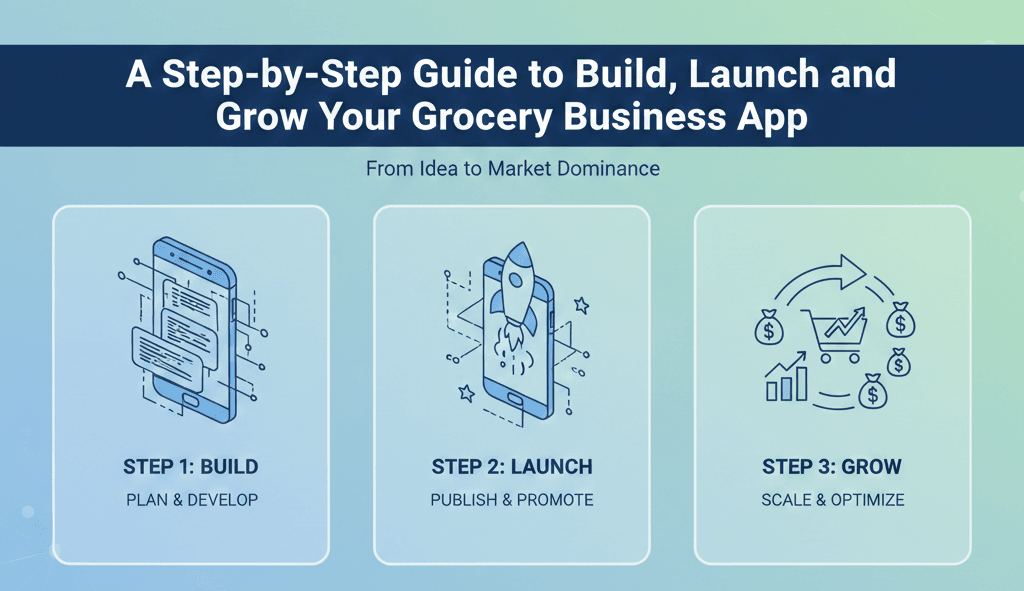
Here we bring you a step-by-step guide explaining how to build, launch, and grow a grocery delivery app.
1. Start by being painfully specific about the problem
Do not guess. Start by being boringly exact. The clearer you are about the problem, the fewer wasted months you will have building the wrong thing.
Pick one customer type and sketch a real day in their life. Do not do buyer personas on a slide, go out and talk to people. If that is impossible, call five real customers and listen for ten minutes each. Take notes. The goal is to hear the tiny annoyances that repeat. These little annoyances are where you will win.
Ask short, practical questions that force specifics:
- Where do you currently buy groceries? Be precise: which store and what time of day.
- What takes the longest? Is it choosing items, standing in line, carrying bags?
- What would make you use an app instead of going out? Be concrete: faster delivery, lower price, trusted produce, scheduled slots.
Do this for two weeks. You will end up with messy answers: contradictions, habits that do not make sense on paper, random preferences. That mess is useful. Look for patterns in the mess. If six out of ten people say they avoid delivery because produce is not fresh, that is a direction. If eight out of ten say they forget to reorder staples, subscriptions are worth testing.
Turn those findings into a single one-sentence promise. This sentence should be the job the app must do perfectly on day one. Examples:
- “Deliver the top 50 household items within 90 minutes in Zone A.”
- “Send a weekly curated essentials box to busy couples with two-tap reorders.”
- “Provide an assisted ordering flow for seniors with phone support and scheduled delivery.”
That sentence will be your north star. Everything you design, build, and measure should point back to it. If a feature does not help keep that promise, shelve it for later.
2. Pick a business model that matches your resources
There are three practical models and each one comes with tradeoffs.
Inventory model:
You get control over product quality and margins, but you also take on storage, wastage, and working capital. This works if you have access to cheap warehousing or a proven supplier network.
Marketplace model:
It is beneficial for lower upfront cost. You manage orders and routing; partners handle stock. The challenge is ensuring catalog accuracy and coordinating fulfilment.
Hybrid model:
You keep a few fast-moving items in your own micro-warehouse and aggregate the rest from partners. This gives a blend of control and low capital requirement.
3. Define your Minimum Viable Product
Your MVP is a product that solves the core pain for the targeted customer segment reliably.
Core components for a grocery-MVP:
- Browsing and search by category and brand.
- Product pages with clear price and stock info.
- Smooth cart and checkout flow with at least two payment options (card or digital wallet and cash on delivery).
- Delivery window selection and basic real-time status.
- Simple user profile and order history.
- Admin dashboard to manage orders, products, and deliveries.
4. Design for human brains, not design portfolios
Design is not decoration. Design is deciding what to remove. Start with a very small set of screens and ask: can someone complete a purchase in three taps? If not, shorten it. Your early goal is to make the simplest transaction reliable and fast.
Practical rules that actually help:
- Make the primary action obvious. Search, add to cart, and checkout should sit where a thumb naturally goes. Do not hide them behind menus.
- Reduce cognitive load. Each screen should ask one question. If a screen asks two or three questions, users pause, think, and drop off.
- Use language people use. Swap marketing phrases for real instructions. For example, use “Choose delivery window” instead of “Experience fast delivery.”
- Default to helpfulness. Preselect the last used address, show the most common payment method first, and surface previous baskets. Small defaults save time and build habit.
5. Choose a tech approach that keeps options open
You want speed today and flexibility tomorrow. Pick tools that let you move fast without trapping you in a dead end.
A practical split to get you started:
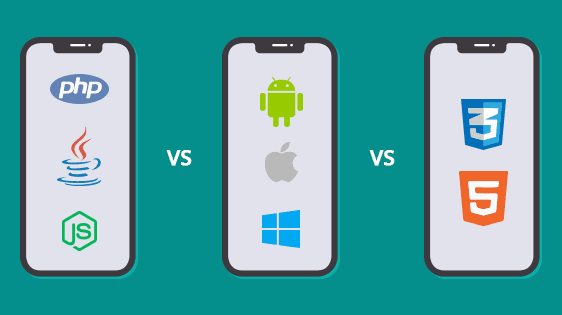
- Frontend: use React Native or Flutter if you need a single codebase for iOS and Android. They will save weeks early on and make feature parity simpler.
- Backend: build stateless APIs. Keep logic in small services so you can scale parts independently. Node.js or Python are both solid; choose what your team knows and what you can hire for.
- Database: use Postgres for orders and transactional data. Add a document datastore like MongoDB only if your catalog requires it. Simple schemas win early.
Practical infrastructure choices:
- Start on a managed cloud service (AWS, Google Cloud, or Azure). Use managed databases and object storage to remove undifferentiated toil.
- Containerize services and use autoscaling rules. Launch day spikes are real; autoscaling saves you from late-night firefighting.
- Use queueing (Redis, RabbitMQ) to decouple order placement from fulfillment. That way, a slow partner or a temporary outage does not block the checkout flow.
Third-party integrations you will actually need from day one:
- Payment gateway that supports local options plus cards. Customers will not convert if their preferred payment method is missing.
- Maps and routing with turn-by-turn navigation for drivers. Bad routes waste time and money.
- Push notifications for transactional updates and simple marketing.
6. Set up inventory and catalogue processes that are boring but essential
A grocery app is only as good as its catalogue accuracy.
If you hold inventory:
- Create SKU conventions from day one. Keep identifiers consistent across systems.
- Implement batch and expiry tracking for perishables. Remove expired items automatically.
- Have a reordering threshold with supplier alerts.
If you use partners:
- Provide simple spreadsheet templates and a light API for catalog feed. Many small stores cannot handle complex integrations; compensate with a gentle onboarding team.
- Standardize product naming and images. Inconsistent naming will wreck search and user trust.
7. Logistics: design around geography and human limits
Delivery is where service meets reality.
Start hyper-local. Your first delivery area should be a contiguous zone you can cover with 15 to 30 minute travel windows. This keeps delivery cost predictable and reduces time in transit.
Decide delivery flow:
- Store pickup: orders are picked from partner stores and handed to a delivery partner. Good for marketplace models.
- Dark stores: you pick and pack from micro-warehouses to control quality and speed. Preferred for inventory models.
- Hybrid batching: combine multiple nearby orders into one route when density is low.
Routing and batching:
- Use route optimization to reduce travel time. Do not skimp here; every saved minute reduces cost and increases feasibility.
- Build simple customer expectations: show a reliable delivery window, not an overly optimistic ETA.
8. Customer service: prepare for real people with real problems
Friction will happen. Systems will fail. How you respond is your reputation.
Channel mix:
- In-app chat for quick clarifications.
- Phone support for escalations.
- Email for refunds and detailed disputes.
Automate low-value tasks like confirmations, shipping updates, and basic refunds that can be handled by workflows. But always make it easy for a frustrated customer to reach a human.
9. Launch plan: soft launch, learn, then scale
A loud launch with broken flows will haunt your app. Soft launch first.
Soft launch checklist:
- Release to a limited geography and limited users.
- Staff a war room: product, ops, customer support, and a developer on call.
- Monitor key metrics in real time: order success rate, payment failures, delivery time, error rates.
- Collect structured feedback: 3-question survey after first order.
Iterate fast. Fix the top three pain points within 48 hours. Then widen the launch zone.
Marketing during soft launch:
- Use local channels: community WhatsApp groups, local influencer plugs, partnerships with stores.
- Use refer-a-friend mechanics with clear incentives.
- Offer a handful of promotions tied to retention: first three orders at a small discount or free delivery for a month.
10. Metrics to chase
Many metrics look impressive but do not tell you whether you are building a real business.
Daily and weekly focus:
- Activation rate: percentage of users who complete first order after signing up. This tells you if onboarding works.
- Repeat purchase rate in 30 days: retention is the single most important health metric.
- Average order value: drives revenue and delivery cost coverage.
- Delivery on-time rate: a poor number here destroys trust.
- Order error/cancellation rate: high rates point to catalogue or fulfilment problems.
- Customer lifetime value vs. acquisition cost: the business will live or die by this ratio.
Summing It Up
If there is one thing you should take from all this, it is that grocery delivery is not about tech, it is about trust. Anyone can build an app. Few can build one that people rely on week after week.
Start small. Deliver what you promise. When a customer says something went wrong, listen and fix it fast. In the end, a grocery app that actually works becomes part of people’s routine, almost invisible but deeply useful. And if you can reach that point, where users stop noticing the app because it simply works, that is when you know you have built something real.